

Building your own keyboard is one of the most satisfying projects for any PC enthusiast. If you have been looking to build a custom mechanical keyboard without breaking the bank, the Gamakay LK67 Keyboard Kit remains one of the best budget options in 2026.
- What Is the Gamakay LK67 Keyboard Kit?
- Unboxing and What’s in the Box
- Key Features and Specifications
- Hot-Swappable PCB
- Triple-Mode Connectivity
- 2400mAh Battery
- Customizable Volume Knob
- Per-Key RGB Lighting
- Build Quality
- Software and Customization
- Typing Experience and Sound Profile
- Pros and Cons
- Final Verdict: Should You Buy the Gamakay LK67 in 2026?
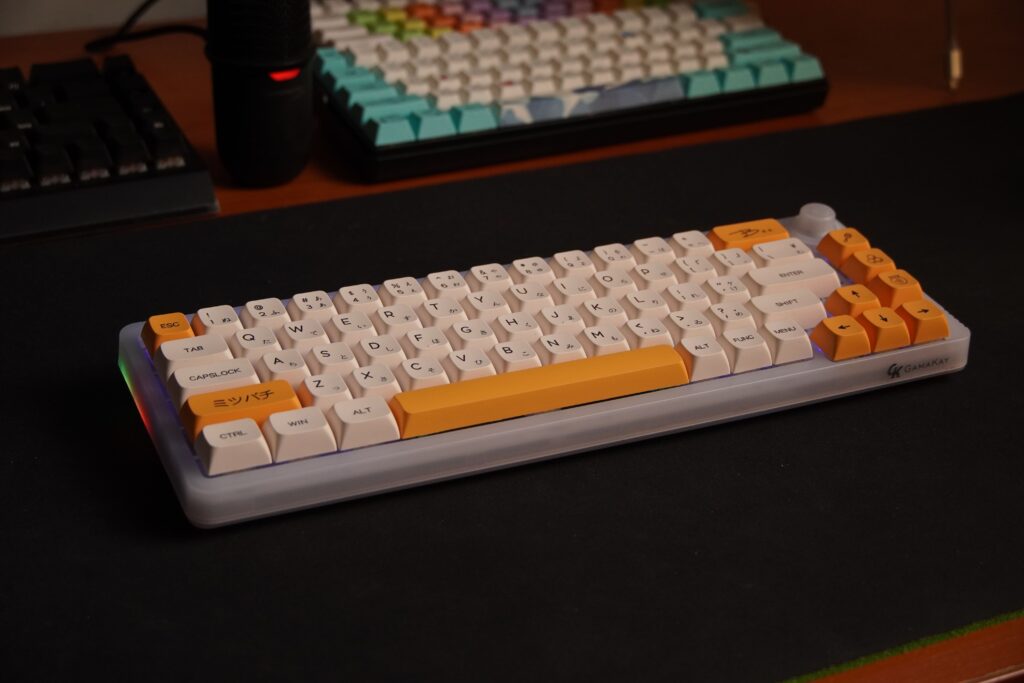
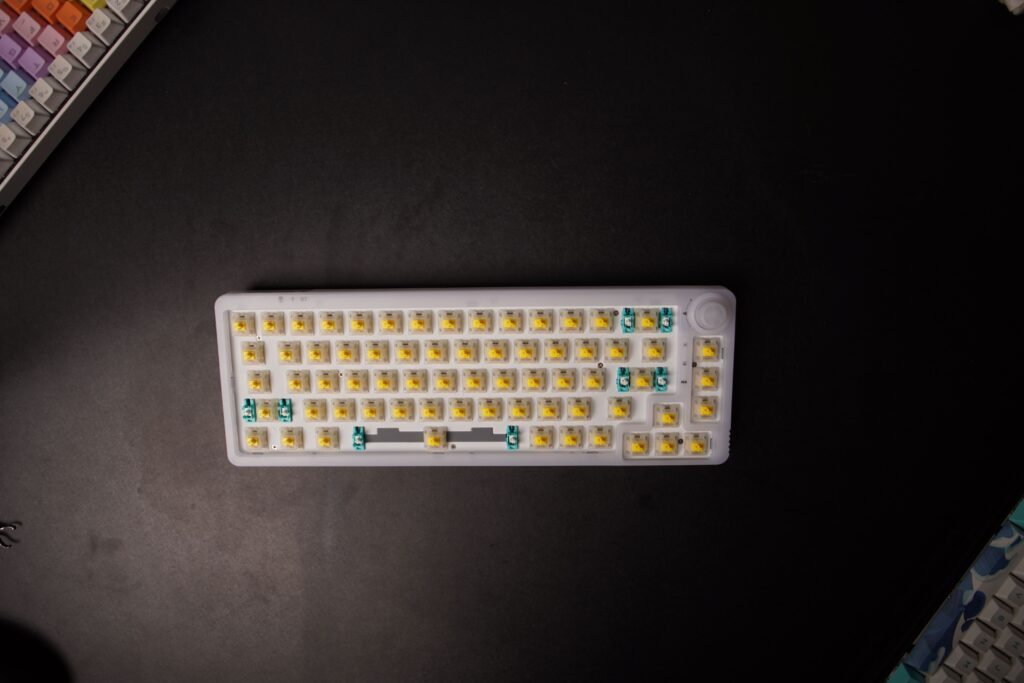
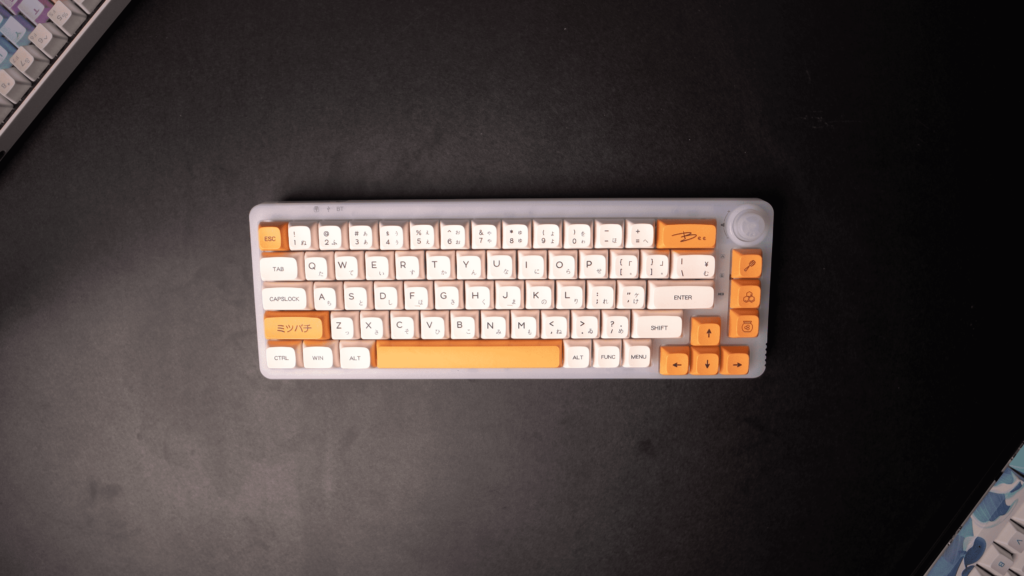
This 67-key compact mechanical keyboard kit features a customizable volume knob, hot-swappable switches, and triple-mode connectivity. We built ours with Gateron Pro Milky Yellow switches and honey milk PBT keycaps, and the result is a stunning, thocky typing machine.
Let us walk you through the unboxing, features, software, and our verdict on this crowd-favorite keyboard kit.
What Is the Gamakay LK67 Keyboard Kit?
The Gamakay LK67 is a 65% form-factor keyboard kit that includes everything you need to build your own custom mechanical keyboard: the case, PCB, plate, stabilizers, and a USB-C cable. You supply the switches and keycaps of your choice.
It competes directly with other budget keyboard kits like the AntEsports MK1200 Mini and the HyperX Alloy Origins Core, but the LK67 stands out for its hot-swap PCB, per-key RGB, and wireless capability.
Unboxing and What’s in the Box
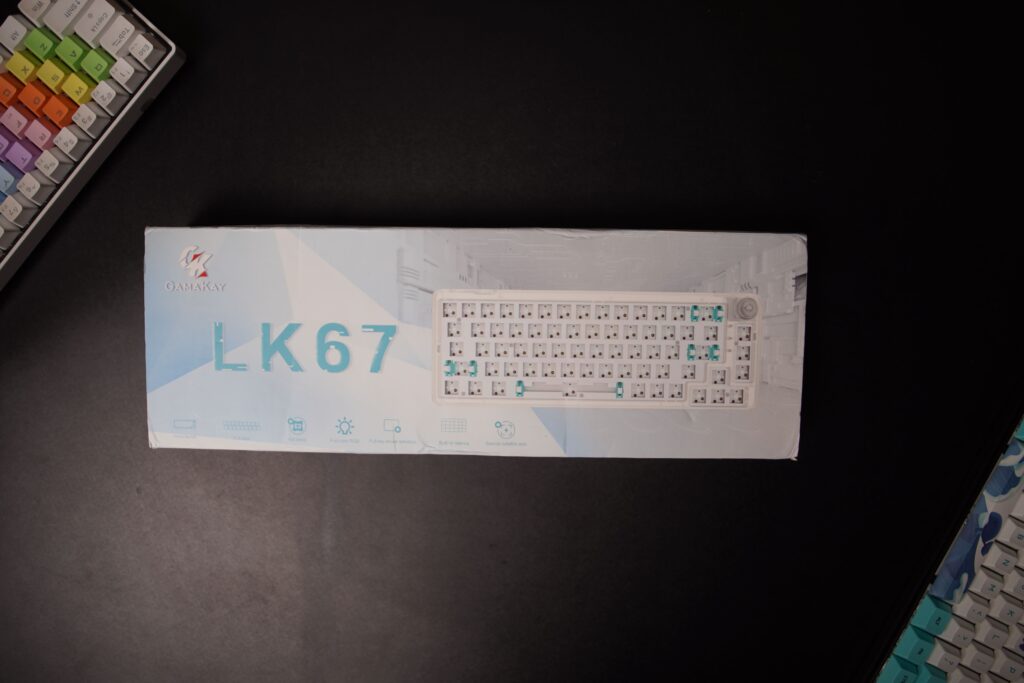
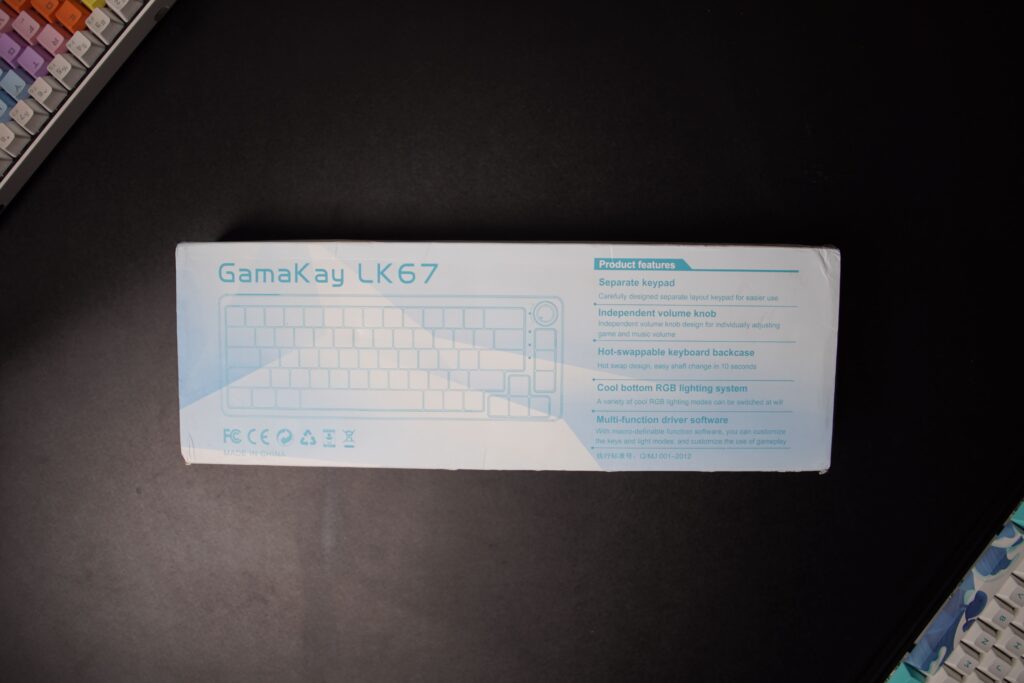
The packaging is simple and effective. The keyboard is secured in thick foam to prevent damage during shipping. Here is what you get inside:
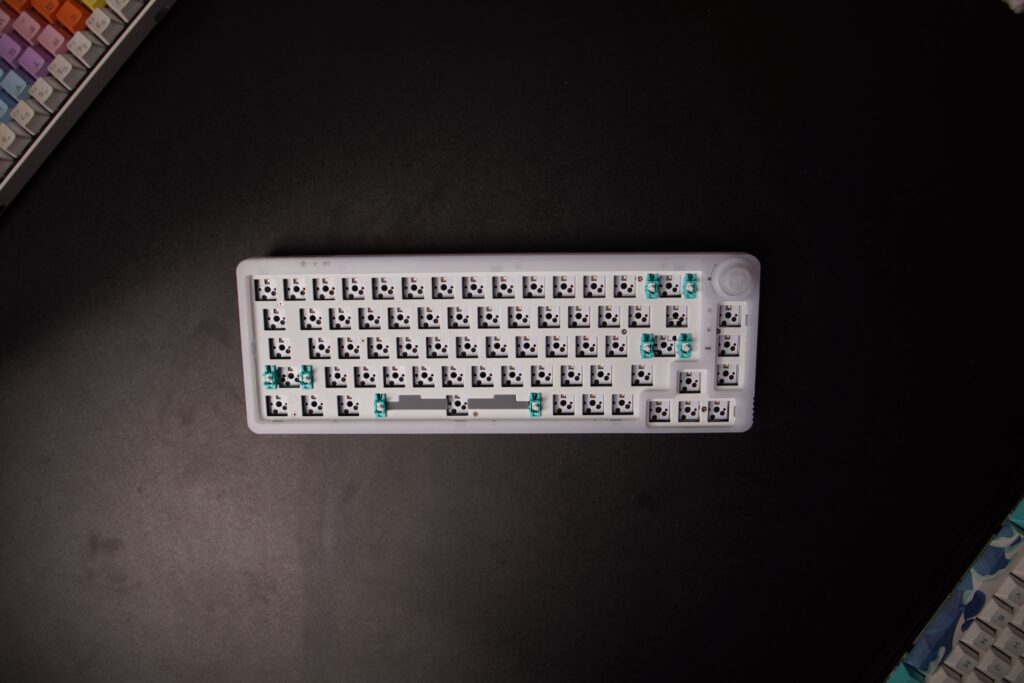
- Gamakay LK67 Keyboard Kit (case, PCB, plate, foam)
- Keycap and Switch Puller
- High-Quality USB-C Cable (braided)
- 2.4GHz USB Receiver
Key Features and Specifications
The Gamakay LK67 packs impressive features for its price range. Here is a breakdown of what makes it special:
Hot-Swappable PCB
The PCB supports both 3-pin and 5-pin switches, giving you unlimited options for customization. The hot-swap sockets are durable and hold switches firmly. You can swap switches in seconds without soldering.
Triple-Mode Connectivity
Use the LK67 in three ways: wired via USB-C, wireless via the included 2.4GHz dongle, or Bluetooth 5.0. This makes it perfect for switching between your desktop, laptop, and tablet throughout the day.
2400mAh Battery
The built-in 2400mAh battery provides excellent battery life. With RGB on, you can expect several days of use between charges. With RGB off, the keyboard can last for weeks.
Customizable Volume Knob
The rotary encoder on the top right acts as a volume knob by default. You can press it to play or pause media. Through the software, you can remap its functions to suit your workflow.
Per-Key RGB Lighting
The translucent case version diffuses RGB beautifully, with dedicated light zones on the sides and top edge. The software offers 18 preset lighting effects plus full per-key customization.
Build Quality
The case is made from thick PBT plastic that feels solid and premium. It uses a tray-mount system with a metal plate, providing a consistent typing feel across all keys. The keyboard feet are fixed and not adjustable, which is one of the few downsides.

Software and Customization
The Gamakay LK67 comes with dedicated configuration software. Unfortunately, the software only works in wired mode. Here are the main sections:
Main Tab
The home screen shows your current layer and offers a reset option. You can switch between layers if you have programmed alternative layouts for different languages or applications.
Lighting Tab
This is where the magic happens. The software supports per-key RGB customization and includes 18 preset lighting effects:
- Breath, Neon, Wave, Ripple, Raindrop
- Snake, Press Action, Coverage, Sine Wave
- Kaleidoscope, Line Wave, Laser, Circle Wave
- Dazzling, User Picture, Music Follow (EDM), Light Shadow, Music Follow 2 (Soothe)
Each effect can be adjusted for speed, brightness, and color. You can also upload custom images for the User Picture mode.
Macro Tab
Create macros to automate repetitive tasks. You can record key sequences and assign them to any key on the keyboard. The macro editor is straightforward and works well for gaming and productivity shortcuts.
Support Tab
This section handles firmware updates and software version checks. You can also switch the software language here if your copy defaults to Chinese.
Typing Experience and Sound Profile
With Gateron Pro Milky Yellow switches (linear, factory-lubed) and honey milk PBT keycaps (XDA profile), the typing experience is exceptional. The switches are smooth with a deep, satisfying thock sound.
Compared to other keyboards we have reviewed, such as the Corsair K60 RGB Pro and the HyperX Alloy Origins Core, the LK67 is notably quieter and more pleasant for long typing sessions.
The stock stabilizers are decent but benefit greatly from lubing. Even without modifications, the keyboard is the quietest in our collection. Adding O-rings or switch films improves the sound profile even further.
The honey milk PBT keycaps deserve special mention. They have a deep dish on all four sides that guides your fingers naturally, and the PBT material resists shine better than ABS keycaps.
Pros and Cons
Pros
- Hot-swappable PCB supports 3-pin and 5-pin switches
- Triple-mode connectivity (USB-C, 2.4GHz, Bluetooth 5.0)
- Excellent battery life with 2400mAh cell
- Customizable volume knob with press function
- Per-key RGB with 18 lighting presets
- Solid PBT build quality at an affordable price
- Translucent case option for superior RGB diffusion
Cons
- Software only works in wired mode
- Fixed keyboard feet (no adjustable tilt)
- Stock stabilizers could be better lubed from factory
Final Verdict: Should You Buy the Gamakay LK67 in 2026?
Absolutely. The Gamakay LK67 Keyboard Kit remains an outstanding choice for anyone building their first custom keyboard. The hot-swap PCB, triple-mode wireless, and excellent build quality make it a fantastic value at around $65 to $70 for the kit version.
The fully built version costs around $85 to $90 and comes with pre-installed switches and keycaps. The kit gives you more color options (white, black, translucent white, translucent black, translucent pink) and lets you choose your own switches and keycaps.
If you enjoy the process of building and customizing your gear, the Gamakay LK67 Keyboard Kit is the right choice. If you prefer a ready-to-use keyboard, the pre-built version is equally good.
For more budget keyboard options, check out our reviews of the AntEsports MK1200 Mini and the Corsair K60 RGB Pro.
Is the Gamakay LK67 made of plastic?
Yes, the body is made from thick PBT plastic that feels solid and premium. The build quality is excellent for its price range.
How many keys does the Gamakay LK67 have?
The Gamakay LK67 has a 67-key layout with a dedicated volume knob on the top right corner.
Is the Gamakay LK67 hot-swappable?
Yes, the Gamakay LK67 features a hot-swappable PCB that supports both 3-pin and 5-pin switches for easy customization.
Does the Gamakay LK67 support wireless?
Yes, the LK67 supports three connectivity modes: wired USB-C, 2.4GHz wireless via the included dongle, and Bluetooth 5.0.