

Microsoft announced the Family Safety App for users back in March and then released the preview in May. The final build for the application is out for everyone and yes it does most of the required work to track your family to make sure your credit cards are secure.
Features in Family Safety App
Weekly Activity Report
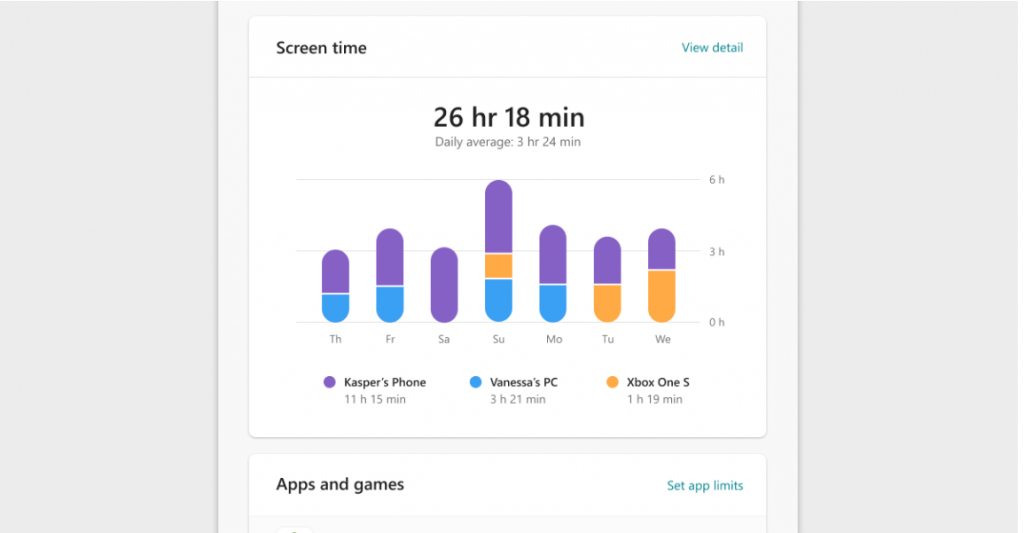
The app gives you a weekly report of how your children are spending their time online. The report is sent to you and your child to keep track of how many hours they’re spending on games or watching movies instead of learning. This makes sure your child is being productive instead of just spending his/her time just for entertainment.
Time Limit for Apps
Since everything has shifted digitally, you need to make sure your child is using the online services and games up to a limit which is beneficial for him. You can now manage and set the time for a particular application or a game that can be accessed by your child. If required, you can provide more screen time for him to enjoy but that totally depends on how you want to manage your kids. Since more time spent online can lead to eye strain, limiting the time is always advised.
Content Filter
Since internet is a dangerous place for kids, this web filter option lets you filter websites unsuitable for your kids. You can easily filter adult web pages which might pop up sometimes through ads on some phishing sites. This feature is available for the Microsoft Edge browser on Windows, Xbox, and Android. There is an option to choose the Age filter which can be selected for your kids.
Purchase Requests
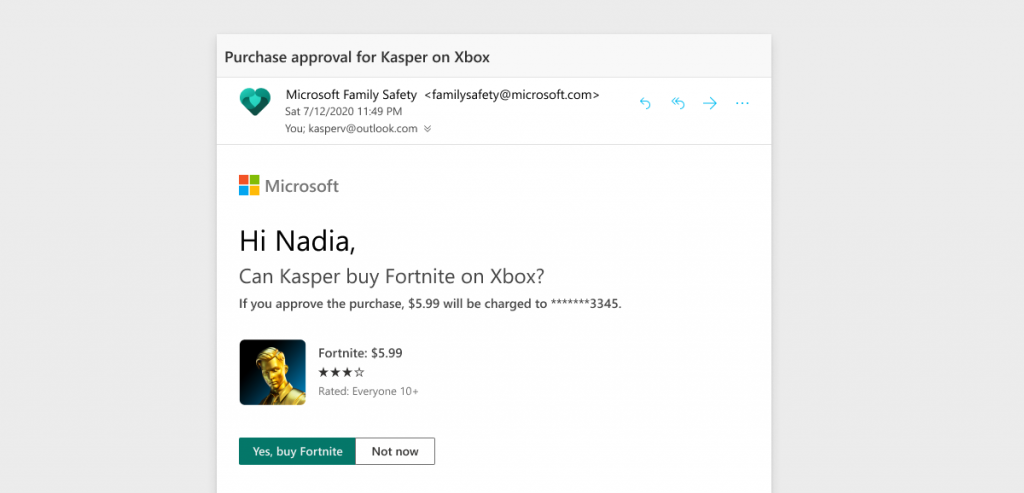
There are many transactions kids decide to make in their games and its good to know about it before letting them actually spend the money. With this enabled, you can make sure your wallets are not going all empty and once you allow, then only Microsoft will proceed with the transaction.
Tracking your family
You can track all the members of your family through the Family Safety App. All members in your family can open location sharing to make sure you can track them when they’re out somewhere.
There are other features that Microsoft has added to the Family Safety App after collecting feedback from the users during the preview in May. So the new and improved Family Safety App is more improved and user friendly with more options available as per your needs. You can read more about them in the blog by Microsoft here.
The app is available for both Android and iOS starting from today.