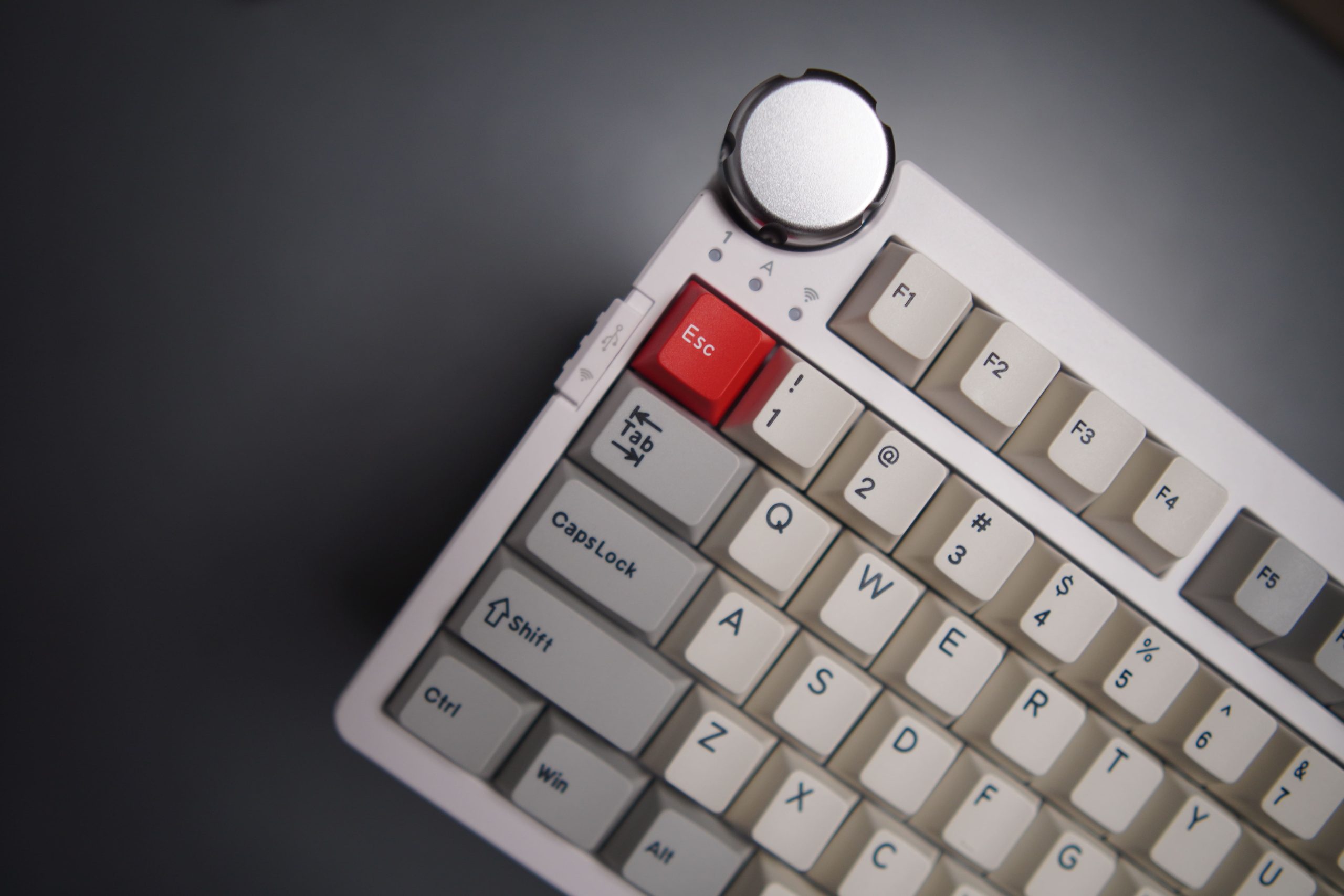

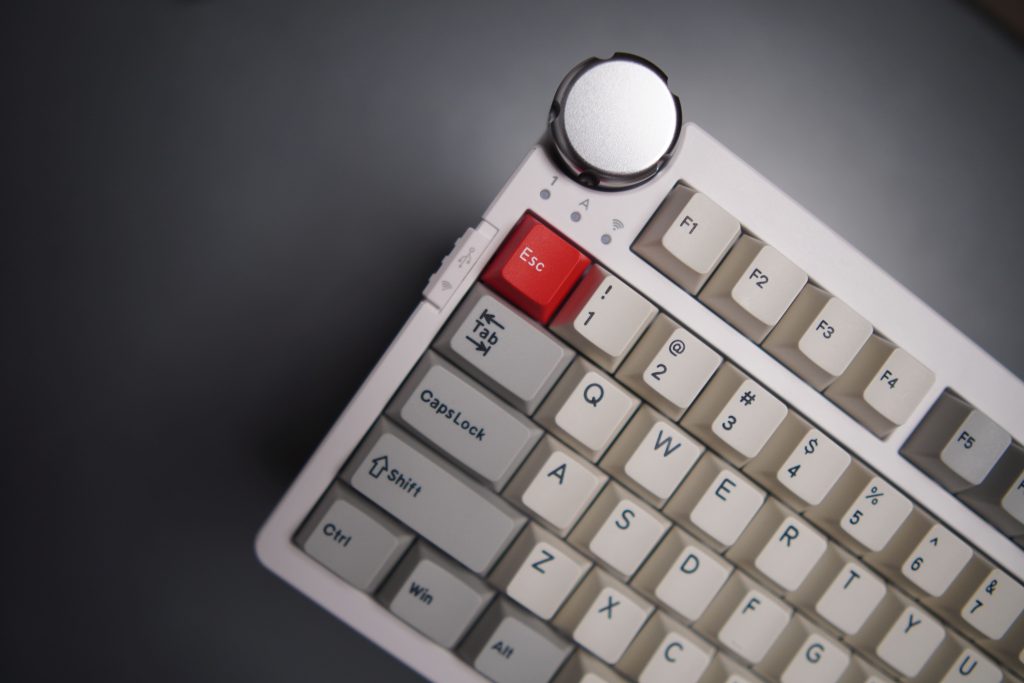
CIDOO, a keyboard brand that is very well-known for showcasing the “Flaretech optical switches” to the world. For reference, Flaretech was one of the few companies that developed and released optical & analogue switches, so CIDOO plays a significant role in developing the hype and enthusiasm among the community. Along the same lines, CIDOO’s most recent collaboration with ABM has brought us to this article which will talk about the newest “CIDOO ABM 098 Mechanical Keyboard”.
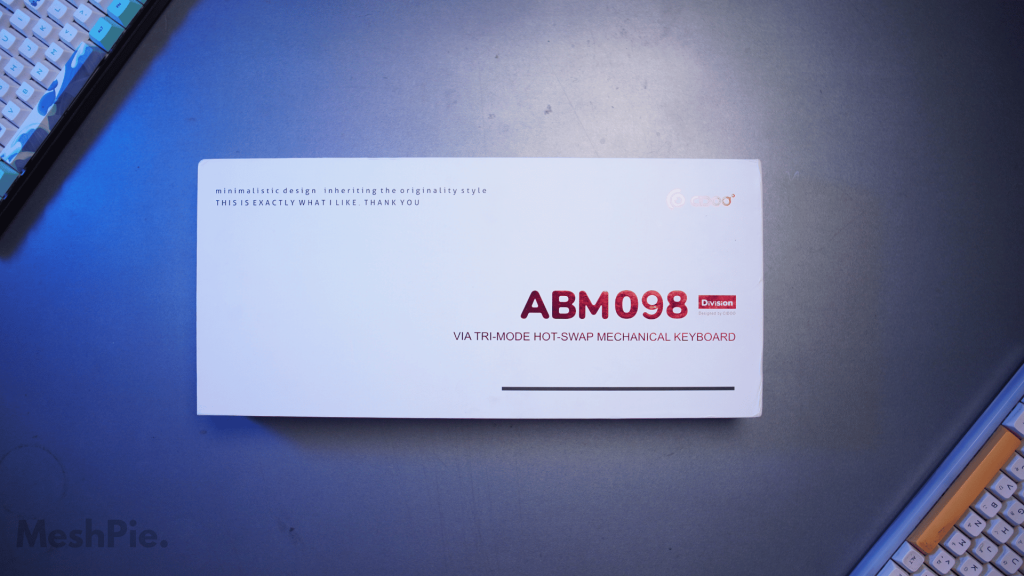
CIDOO ABM098
CIDOO ABM098 is an 1800 compact ANSI Layout mechanical keyboard designed for gamers and productivity users. With the included numpad, the need to look out for another external numpad is not needed. The sweet Rotary Knob comes in handy for all the media freaks. With this, you can easily control the volume and mute the volume.
This keyboard features hybrid wireless connectivity, which means you can connect to the keyboard using three different connection modes – 2.4ghz, Wireless Bluetooth Connection and Wired Connection. Moreover, this keyboard supports the VIA programmable feature that allows you to customize your keyboard without needing any software.
What is VIA customization?
For those who don’t know what a VIA is, it is a free and open-source tool for keyboard enthusiasts that allows you to customise the firmware of your mechanical keyboard. It allows you to do everything right, from changing the RGB lighting of your keyboard to creating macros. Right out of the box, the CIDOO ABM098 is equipped with VIA. Therefore you can do all the customisations and save them on your onboard memory, so you can change the settings & use the keyboard on the fly.
There’s a lot to talk about the keyboard here, so without further ado, let’s start by looking at the CIDOO ABM 098 Product specification –
Product specification
| CIDOO ABM 098 Product Specification | |
| MODEL | CIDOO ABM098 VIA |
| MOUNT TYPE | Gasket Mount |
| KEYS AMOUNT | 97 keys + 1 knob |
| CASE MATERIAL | ABS Plastic |
| PLATE MATERIAL | Steel |
| STABILIZER TYPE | 2u stabilizers: Plate-mounted |
| SPACEBAR TYPE | Screw In |
| PCB TYPE | Hotswap PCB (5 pin & 3 pin) |
| LED FACING | South-facing |
| KEYCAPS MATERIAL | Black – ABS+PBT Double-shot |
| Green & Grey – PBT Double-shot | |
| PCB FOAM MATERIAL | Poron |
| SWITCH SHEET | IXPE |
| BOTTOM FOAM | Silicone |
| BATTERY CAPACITY | 3000mAh |
| BACKLIGHT | 16.8M RGB backlight, RGB music rhythm |
| CONNECTIVITY | Bluetooth 5.0, 2,4Ghz USB and Type-C |
| N-KEY ROLLOVER | Support |
| SOFTWARE | Programmable with VIA |
| PRODUCT DIMENSION | 387.7*147.2*41.1mm |
| PRODUCT WEIGHT | Around 1.45kg |
Packaging and Accessories
When it comes to the packaging of the CIDOO ABM 098, it’s pretty clean and well-packed. The keyboard itself is packed in a two-piece white cardboard box that has the company logo and the reaffirmation of the tagline “minimalistic design inheriting the originality style” and under this, “THIS IS EXACTLY WHAT I LIKE, THANK YOU”. I mean, why is this on the keyboard? The packaging would’ve been more minimal and aesthetic without these printed on the box.
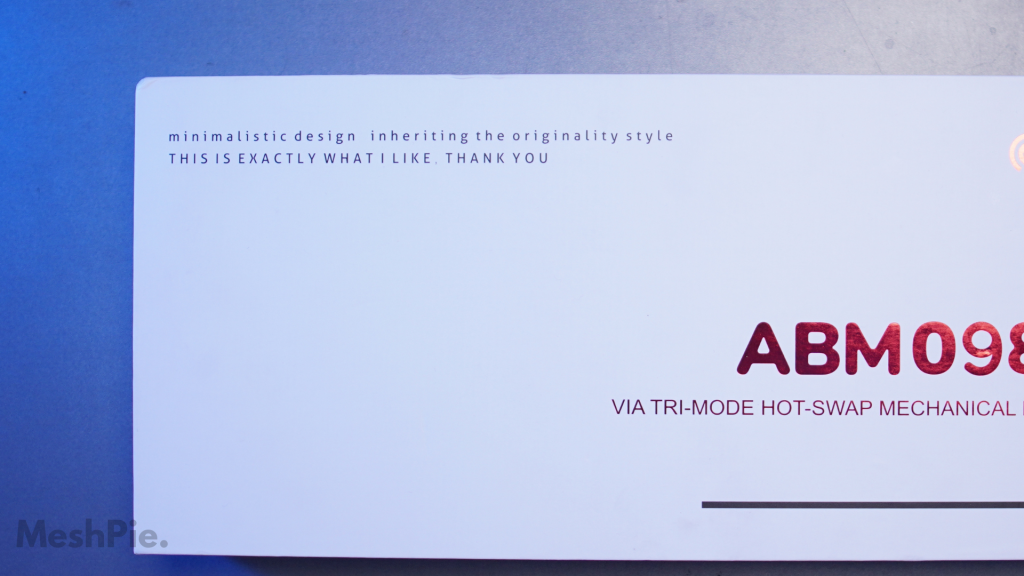
On the sides, there’s the product name and a minimal render of the keyboard’s side profile just like how it is placed inside the box. And on the back, there’s a render of a bare-bone version of the keyboard showing the switch placements, etc.
Upon lifting the lid, you can find a lining of foam that’s present to protect this hunk of a keyboard and the contents side. Additionally, there’s also a soft plastic sheet over the keyboard itself. This semi-hard plastic clamshell helps protect the keyboard from transit damage but also helps to keep the keyboard dust free, so don’t throw it away!
Below the plastic clamshell, there’s a soft layer of plastic cover that covers the keyboard. Lifting the keyboard from the box, you can find the handy user guide that has an extensive list of things you’d actually need, like switching between the keyboard modes, customizing the RGB and lots of other information.
On the sides, you’d find two small boxes in which you can find the braided USB Type C to Type a keyboard cable, a multi-keyboard tool that has a combination of a metal wire keycap puller and a switch remover tool, a replacement keycap for the “ESC” key. This is mainly for those who want to maintain the aesthetics because, out of the box, this keyboard comes with a red escape keycap which doesn’t go along too well with the dull white keycaps in the keyboard.
Closer Look
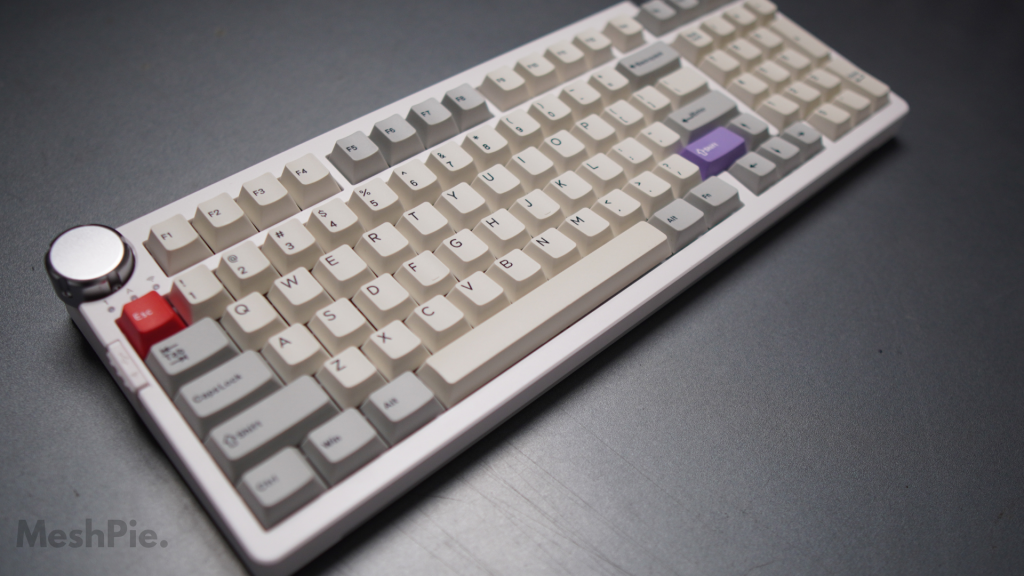
The CIDOO ABM 098 is a 98-key keyboard with a Compact 1800 ANSI Layout. This means the keyboard layout is similar to that of a full-size keyboard, but some keys are relocated to the same space. The main difference between a Compact 1800 ANSI layout and a full-size keyboard is that the arrow keys are located right below the enter key, while the other navigation keys are located above the Numpad. This allows the keyboard to be slightly narrower than the full-size keyboard while retaining all the functionality.
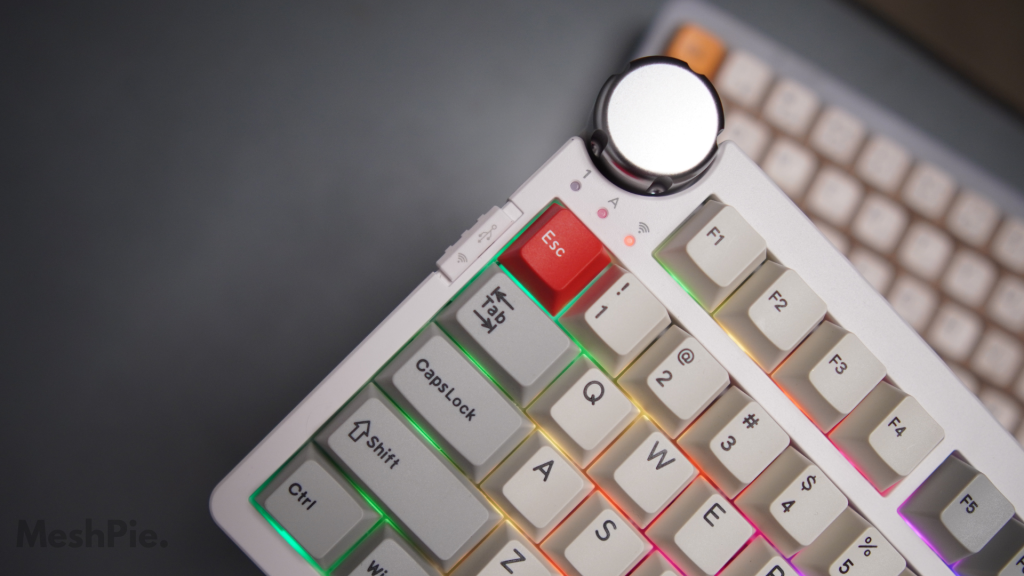
CIDOO loves the community, and with the request from multiple community members stating that the knob on the V65 is too small, the CIDOO ABM098 is redesigned with a noticeable to control the volume up, down and muted. That’s pretty much about the knob. Wish it could also play and pause. It would’ve been a sweet addition. Hoping to see that in the next software update CIDOO!
The CIDOO ABM098 keyboard weighs 1.44 KGs (3.17 lbs), slightly heavier than most of the mechanical keyboards. The additional weight is mainly due to the sturdy steel frame, thick silicone sound-dampening foam and the PBT keycaps. This makes the keyboard feel super solid and durable.
When it comes to weight, it can be a benefit or drawback. It all depends on your personal preference. If you like a solid and stable keyboard, then the CIDOO ABM 098 will be the best keyboard you can buy.
Image Credits: CIDOO
CIDOO ABM098 comes in three different colours – Black, Grey and Green. I went with the grey version, which gives the classy retro look with the white & grey keycaps. The keyboard has rounded corners that look classy, and this paired with the weight of the keyboard, makes this keyboard feels so good to use and super pleasing to type with. The best part of this keyboard is that there’s no branding and looks so clean.
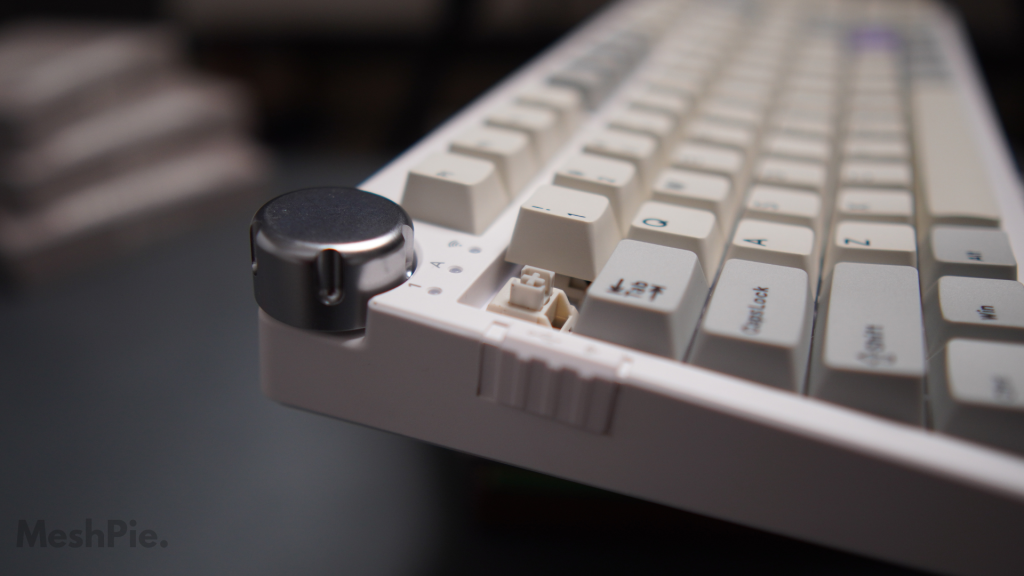
On the left top corner, right below the knob of the keyboard, there’s the toggle that allows you to toggle between wireless and wired mode. On the right of the toggle, there’s an LED indication that shows the configuration and the mode you have connected. Moreover, this keyboard connects flawlessly with the macOS, so you don’t have to worry about cross-OS compatibility.
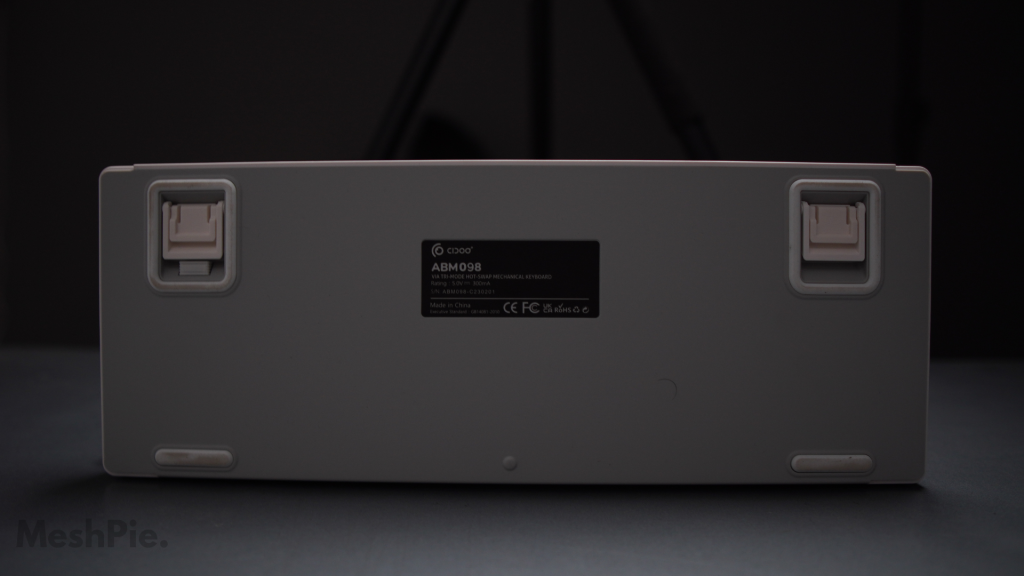
On the back, you can see the certification of the keyboard in the middle, which has the model number, the rating and other information. There are four grippy rubber pads in the corner of the keyboard that keeps the keyboard in place while typing or gaming. Moreover, the top two rubber pads also support three levels of elevation.
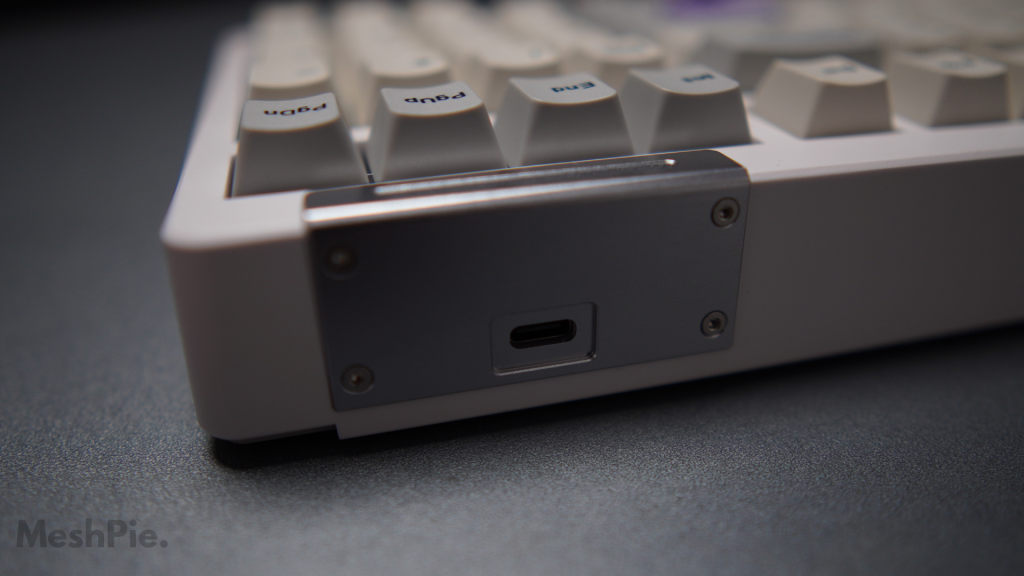
On the top right, there’s a unique USB-C connectivity. They have incorporated a classy curved metal plate with a USB C port rather than a boring-looking type C port. As a cherry on the cake, there’s even an RGB strip that adds to the overall look. The provided Type-C cable can be used for charging and using wired. Usually, this port is located on the top left of the keyboard, but in the CIDOO ABM098, this space is taken by the massive volume knob. So if you are looking for aesthetics, I’d recommend using it wirelessly.
The CIDOO ABM098 has a mid-high profile keyboard meaning it wouldn’t look too chunky despite its weight. The keyboard looks even flatter if you are not using the height-adjustable rubber pads.
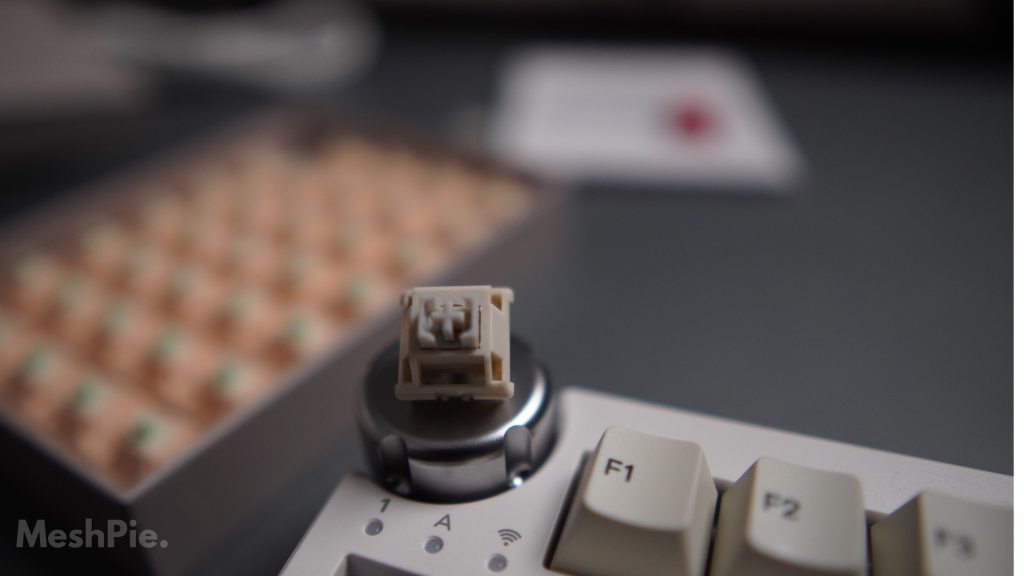
Looking at the keyboard switches, the grey version comes with the custom CIDOO Matte switch. The switch option changes depending on the colour of the keyboard you choose, meaning if you get the black variant of the keyboard, you will get the CIDOO Blue-through switch; if you get the green variant, you will get the CIDOO Mint switch.
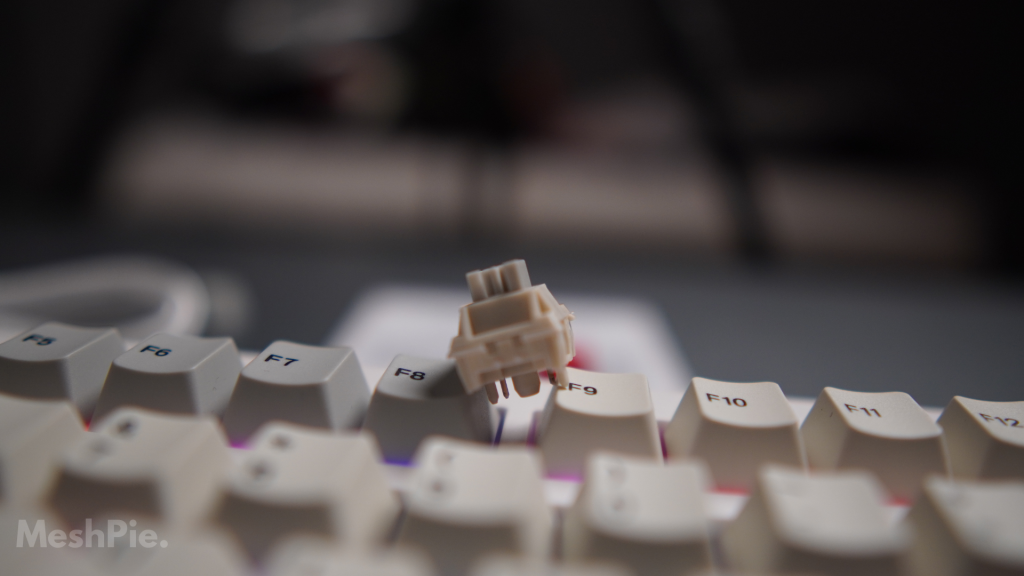
The CIDOO Matte switch is a liner switch with nylon housing with an operation force of 47 grams with a 20mm spring. This is one of the best-sounding linear switches outside the generic switch brands we know, like Grateron, Cherry, JWK, etc.
Here are the specs of the CIDOO Custom switches –
| CIDOO Blue-through Switch | |
| TYPE | Linear |
| HOUSING | Nylon |
| STEM | POM |
| OPERATION FORCE | 55g |
| BOTTOM FORCE | 59.5g |
| SPRING | 20mm |
| CIDOO Mint Switch | |
| TYPE | Linear |
| HOUSING | Nylon |
| STEM | POM |
| OPERATION FORCE | 48g |
| BOTTOM FORCE | 57g |
| SPRING | 20mm |
| CIDOO Matte Switch | |
| TYPE | Linear |
| HOUSING | Nylon |
| STEM | POM |
| OPERATION FORCE | 47g |
| BOTTOM FORCE | 60g |
| SPRING | 20mm |
The LEDs on the CIDOO ABM098 are south facing and don’t interfere with the cherry profile keycaps provided with this keyboard. The CIDOO Matte switch feels semi-thocky with the factory silicone bottom foam and the actually very decent plated mounted stabilizers.
The switch remover tool provided in the box definitely comes in handy and allows us to examine the keys further examine the switch type. Upon removing the switch, we can see the support for 3-pin & 5-pin support.
Software
As mentioned earlier, the CIDOO ABM 098 Keyboard supports the VIA firmware to remap the keys. To get started with the keyboard customisation, you must first download the latest release of the keyboard firmware for the VIA website to recognize.
To download CIDOO ABM098 firmware, visit here –
On this page, depending on the operating system you use, download the executable file. In my case, it would be the Windows version. On GitHub, you can see this file is about 67 MB. Alternatively, you can visit CIDOO’s download page and download the file. Once the download and installation are done, you can successfully connect your keyboard to VIA and customize and remap it according to your wish.
RGB
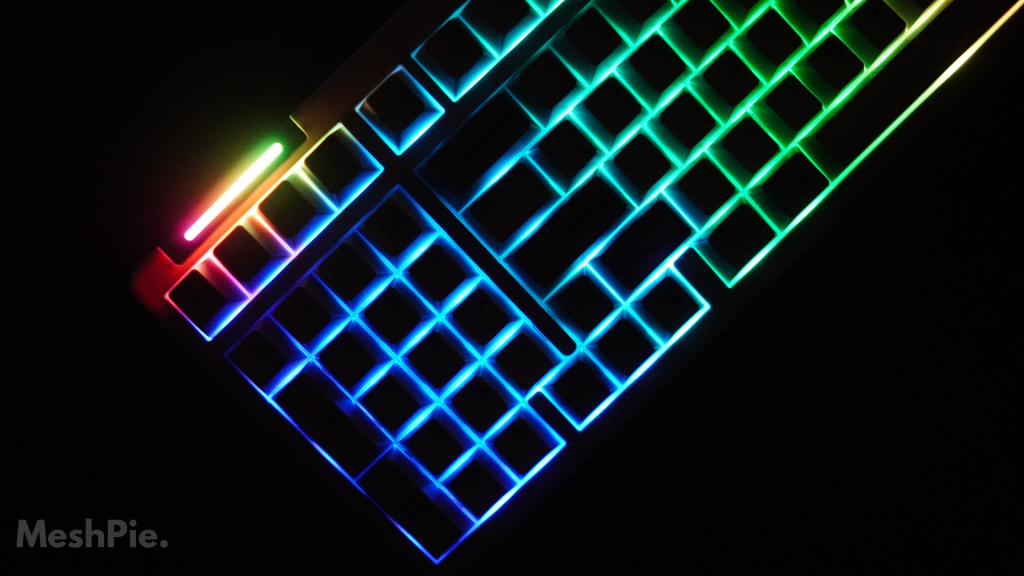
The CIDOO ABM098 is packed with tons of RGB features that are customizable as per your needs. This keyboard comes with south-facing LEDs and thereby avoids interference with some of the most popular cherry profile keycaps.
To customize and mess around with the RGB of the keyboard, there’s no need to download the software. Upon successful connection to the computer, the keyboard’s RGB will turn on by default, and most of it can be customized using the function key.
Here are the RGB hotkeys that come in handy when you want to change –
FN + Backspace: LED Toggle On/Off
FN + Up arrow: LED Backlight Brightness Increase
FN + Down arrow: LED Backlight Brightness Decrease
FN + Left arrow: LED Hue Increase
FN + Right arrow: LED Hue Decrease
FN + _: LED Backlight Speed Decrease
FN + =: LED Backlight Speed Increase
FN + \: Toggle LED Backlight Mode
FN + [: LED Saturation Increase
FN + ]: LED Saturation Decrease
FN + PgUp: Switch Nameplate LED mode between Turn On, Flow, Breathe, Neon, Static, Turn Off
FN + PgDn: Switch Nameplate LED Color – Red, Orange, Yellow, Green, Cyan, Blue, Purple, White, Rainbow
FN+ Space (Longpress): Reset Keyboard to Factory Settings
Final Verdict
The CIDOO ABM098 is a well-made all-rounder mechanical keyboard with a number of features that makes it a great choice for gamers and productivity users. This keyboard has a sturdy ABS Plastic frame, PBT Keycaps and a dedicated volume knob. It is available for $119 on CIDOO’s website (Without Shipping).
The custom switches by CIDOO are definitely a refreshing addon, while compared to the regular switches out there, the linear grey switches are pleasing to type on with a friendly & tactile feel. Overall, the CIDOO ABM098 is an excellent option if you are looking for an ANSI Layout keyboard with all the latest features.
What are you waiting for?
Buy CIDOO ABM098 Now!
FAQs
What are the different switch options for the Cidoo ABM098 keyboard?
CIDOO Matte Switch, CIDOO Blue-through Switch, CIDOO Mint Switch
Is the CIDOO ABM098 keyboard hot-swappable?
Yes. the CIDOO ABM098 keyboard is hot-swappable. This means that you can change the switches without soldering.
What are the different modes of connectivity for the Cidoo ABM098 keyboard?
The Cidoo ABM098 keyboard has three modes of connectivity: Bluetooth, 2.4GHz wireless, and wired.