

Microsoft announced the Microsoft Family Safety feature back in March 2020 along with the changes in its Office 365 products. The major upgrades focused on renaming the services and introducing Microsoft Family Safety. Looks like Microsoft has released the preview for users to have a quick look at the new upcoming service.
The Microsoft Family Safety was was announced yesterday through a blog published by Aimee Sudeck, Product Marketing Manager of Microsoft 365. The new system has been developed considering the fact that children need to be monitored how they’re using digital devices and the Internet. It is due to the lockdown, people have nothing to do but look forward to their gadgets for entertainment and spending their time. There are multiple new features launched to support your family and monitor them at the same time. All of them have been developed keeping in mind the safety of the people.
Activity Reporting
The amount of time your kids or other family members spend on different devices can be tracked easily. The application gives you a full report of the week and daily usage of the devices too. It shows the screen on time of each of your kids to monitor how much time they’re spending on their laptop, mobile, or on gaming devices such as Xbox.
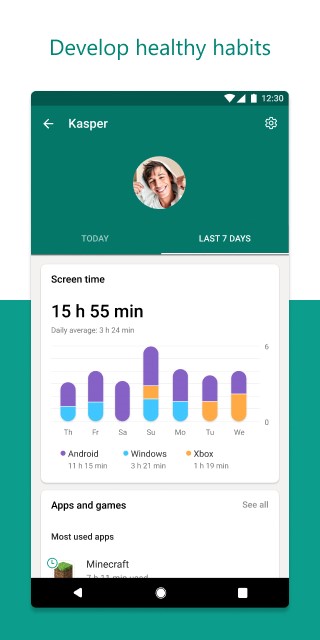
Apart from that, you can check the time they’re spending on the apps and games on their device to monitor how they’re using the internet for.
- Advertisement -
Screen Time Limits
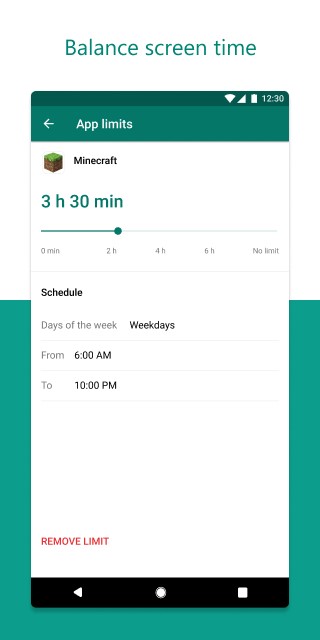
You can set the time limit of a particular app or a game. Whether its on Windows or Xbox devices. If you set 2 hours of gaming, then it means 2 hours of that game will be particularly allowed for the child and they can ask for your permission to increase it.
Content Controls
You can choose what type of content your children access the internet. You can set the age limit for the content they view online. If they need to access something unsuitable for them, they need to ask your access and you can decide accordingly if that’s good for your child.
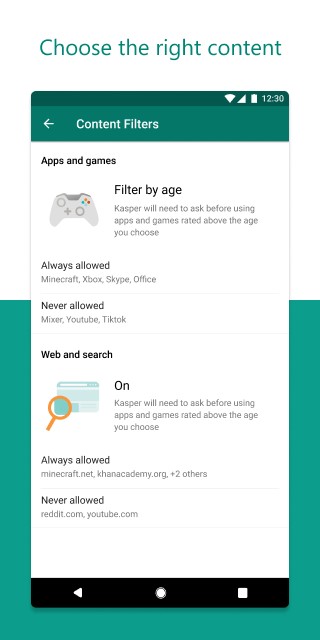
You can block the websites you think is unsuitable for your child and goes for the websites he can access. Similarly, the child will have an age restriction for the age-restricted websites throughout the web.
Location Sharing
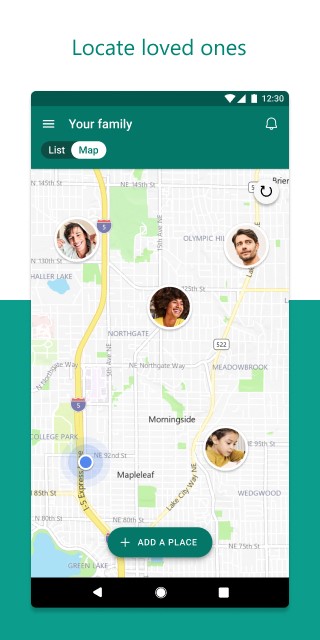
All of the members in a family can share their location on Microsoft Family Safety so you can track every one of them and their location. This is necessary for the current scenario where you need to be on home quarantine. Even after all this ends, you still need to consider and know where your loved ones are and make sure they are safe.
How To Apply
If you are new to the Microsoft family group, you can create your family group here. Existing people can Fill this form to get details on their email to how to use the preview on their Android and iOS devices.
- Advertisement -
Microsoft says the users who are using the preview on their devices can submit their feedback which is going to help Microsoft further in the development of the Family Safety feature.